
Common Mistakes to Avoid When Using a Customer Support Chatbot
Introduction
Customer support chatbots have become one of the fastest-growing tools in modern business operations. From answering frequently asked questions to routing tickets and collecting customer data, a well-configured chatbot can handle a significant share of your support workload around the clock without adding headcount. Businesses that deploy chatbots effectively report faster response times, reduced agent burnout, and measurably higher customer satisfaction scores across industries ranging from e-commerce to SaaS.
However, deploying a chatbot and deploying it correctly are two very different things. Many businesses launch a customer support chatbot with high expectations only to see customers abandon conversations, leave frustrated, or complain about impersonal and irrelevant responses. The chatbot itself is rarely the problem. The mistakes happen in the setup, the training, the integration, and the ongoing management. This article breaks down the most common chatbot mistakes and what you can do to avoid each one.
Chatbots That Frustrate More Than They Help
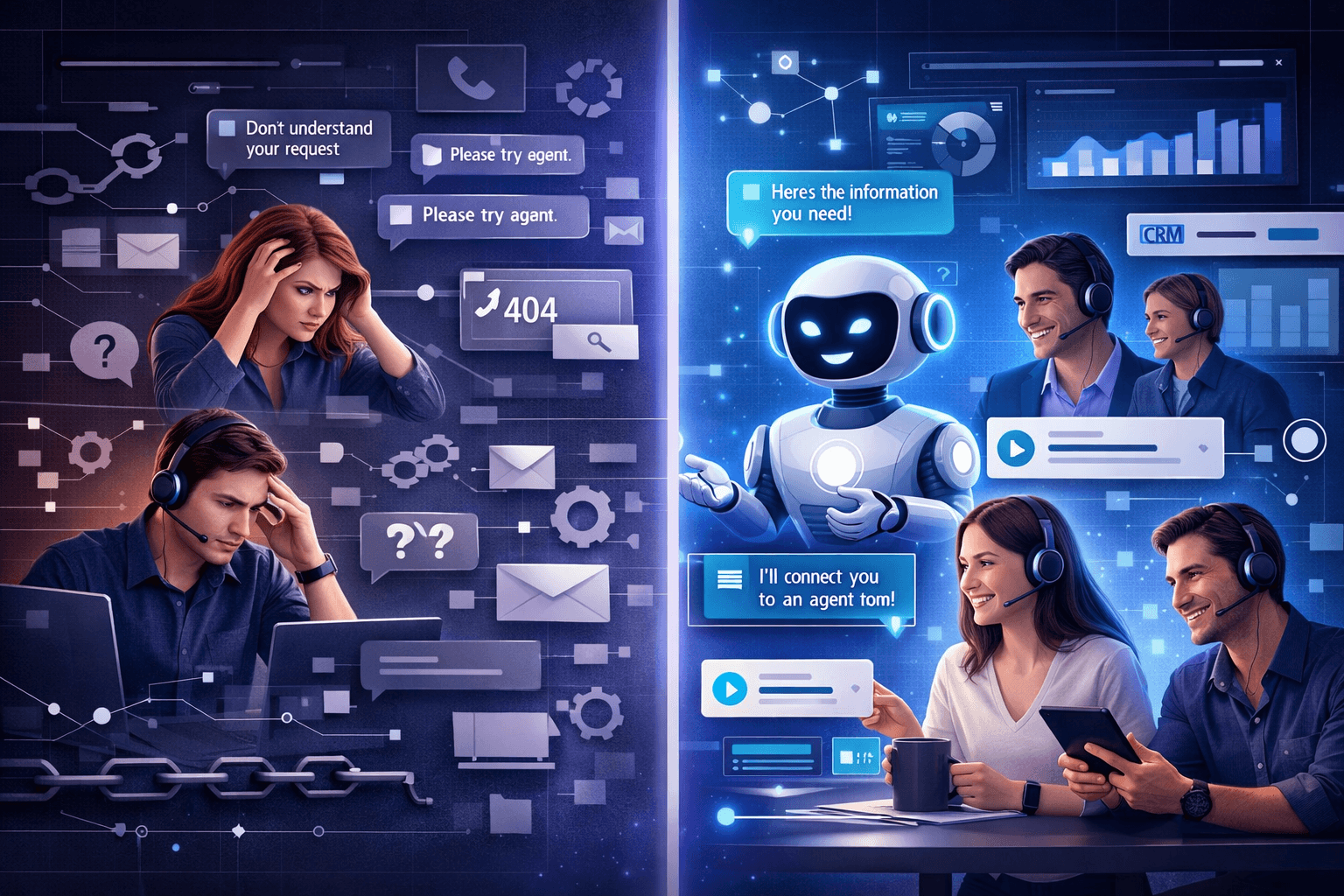
Most chatbot failures share a common root cause: businesses treat the chatbot as a set-and-forget tool rather than an active part of their customer experience strategy. A chatbot that has not been properly trained on your actual product, services, and customer questions will default to generic, unhelpful responses that erode trust quickly. Customers who cannot get a useful answer from a chatbot do not wait around; they leave the conversation, they leave a negative review, and in many cases they leave your brand entirely.
The problem compounds when the chatbot is not connected to the rest of your support infrastructure. Without integration with a CRM or Live Chat system, the chatbot operates in isolation. Agents picking up escalated conversations have no context from the chatbot interaction, and customers are forced to repeat themselves. The experience feels fragmented, and the promise of intelligent, seamless support is never realized. This is not a technology problem, it is a configuration and integration problem that can be solved with the right approach.
A Chatbot Strategy That Puts Customer Experience First
Avoiding chatbot mistakes starts with a clear strategy before you even configure the first response flow. The most effective deployments begin with a thorough audit of the top twenty to thirty questions your customer support team handles every week. These become the foundation of your chatbot's knowledge base, and every response should be written in the same tone and language your brand uses everywhere else. A chatbot that sounds nothing like your brand voice creates cognitive dissonance that customers notice even if they cannot articulate why the interaction felt off.
The second pillar of a strong chatbot strategy is seamless escalation. Your AI Chatbot should never be a dead end. Every conversation flow must include a clear, low-friction path to a human agent, and that escalation must carry the full chat history so no context is lost. When the chatbot and Live Chat are integrated within a single platform, escalations happen in seconds, agents arrive with full context, and customers experience a smooth transition rather than a jarring reset.
Key Features to Look for in a Customer Support Chatbot
Getting chatbot deployment right depends heavily on the platform you choose. The features below are the ones that separate chatbots that genuinely reduce support load from those that create more problems than they solve.
- Natural Language Processing (NLP): The chatbot should understand the intent behind customer queries, not just exact keyword matches, so responses stay relevant even when customers phrase questions differently.
- CRM Integration: Every chatbot interaction should be automatically logged to the customer's CRM profile so your support and sales teams always have full conversation history.
- Live Chat Escalation: A single click should hand off the full chat transcript to a human agent without the customer needing to re-explain their issue.
- Customizable Response Flows: Admins should be able to update, add, and retire response flows without developer support, so the chatbot stays accurate as your product evolves.
- Automated Ticket Creation via Workspace: Unresolved chatbot conversations should automatically generate support tickets assigned to the right team member without manual input.
- Performance Analytics: The platform should show containment rate, escalation rate, CSAT scores, and top unresolved query themes so you can continuously improve the bot's knowledge base.
- Appointment Booking Integration: For service businesses, the chatbot should be able to schedule appointments and demos directly within the conversation without redirecting customers elsewhere.
Benefits of Getting Your Chatbot Strategy Right
Businesses that avoid the common chatbot mistakes and configure their tools correctly see measurable improvements across multiple performance areas. Response times drop because the chatbot handles the highest-volume, lowest-complexity queries instantly at any hour. Human agents focus on complex, high-value conversations instead of answering the same questions repeatedly, which reduces burnout, improves resolution quality, and lowers support costs at the same time.
Beyond operational efficiency, a well-run chatbot actively contributes to revenue. When integrated with Aktok's AI Sales Assistant, the chatbot can identify high-intent visitors, surface relevant product information, and route qualified leads directly to your sales team with full context attached. The support channel becomes a conversion channel without any additional headcount or manual monitoring required.
- Average reduction in first-response time — 80%
- Support queries resolved without a human agent up to 60%
- Agent time saved per week 10 to 14 hours
- Customer satisfaction improvement after optimized chatbot — +35%
Common Chatbot Mistakes vs Chatbot Best Practices
Many businesses underestimate how much damage a poorly configured chatbot does to customer trust. The difference between a chatbot that helps and one that frustrates is not the technology it is the decisions made before and after launch.
The table below compares the most common deployment mistakes against the best practices that high-performing support teams follow.
Factor | Common Chatbot Mistakes | Chatbot Best Practices |
Knowledge Base | Generic, untrained responses | Built from real customer queries and FAQs |
Escalation Path | No clear route to human agent | Seamless handoff with full chat history |
CRM Integration | Siloed from customer records | Every interaction logged to CRM profile |
Brand Voice | Robotic, inconsistent tone | Matches brand language and personality |
Maintenance | Set-and-forget after launch | Regular review using analytics and CSAT data |
Response Scope | Tries to answer everything | Knows its limits and escalates appropriately |
Ticket Creation | Manual, prone to gaps | Automated ticket generation for unresolved chats |
Who Needs This: Roles That Benefit Most from Getting Chatbot Right
The impact of a well-configured chatbot is felt across multiple teams and roles within a business. Understanding who benefits most helps you prioritize implementation and define success metrics for each stakeholder group.
Across every role below, the shared benefit is context. When the chatbot captures and shares the right information at the right moment, every person in your organization works with better data, resolves issues faster, and delivers a more consistent customer experience regardless of channel or time of day.
Customer Support Managers: Reduce ticket volume on repetitive queries, improve agent focus on complex issues, and monitor chatbot performance through live dashboards without manual report assembly.
Sales Teams: Use chatbot conversation data integrated with CRM to identify warm leads, understand objections early, and prioritize follow-up with accounts most likely to convert.
Marketing Teams: Gather first-party intent data from chatbot interactions to inform segmentation, refine messaging, and trigger automated campaigns through integrated Workspace workflows.
Small Business Owners: Run customer support 24/7 without hiring night-shift agents, ensure no inquiry goes unanswered, and collect structured data from every customer conversation to improve product and service decisions.
How Aktok Helps You Avoid Every One of These Mistakes
Aktok is an AI-powered business automation platform that brings AI Chatbot, Live Chat, CRM, AI Sales Assistant, Appointment Scheduler, Sales Tools, and Project Management together in a single connected platform. For businesses deploying a customer support chatbot, this integration is the difference between a chatbot that creates friction and one that genuinely extends your team's capability. Every chatbot conversation in Aktok is automatically connected to the customer's CRM profile, so there is no data loss between the automated and human stages of any interaction.
Aktok's chatbot is built for teams without technical resources. Response flows are configured through a visual interface, knowledge base updates take minutes rather than days, and escalations to Live Chat carry the full conversation context in a single click. Performance analytics are built into the dashboard so you can see exactly which queries are being resolved, which are being escalated, and which gaps in your knowledge base need to be filled before they affect customer satisfaction. Aktok is designed for small and growing businesses no server infrastructure, no IT team required, and new users are operational within a day.
Case Study: Reducing Support Tickets with Aktok AI Chatbot
E-Commerce Business Cuts Repetitive Tickets by 55% in 8 Weeks
A mid-sized e-commerce business was receiving over 200 support tickets per week, with the majority covering order status, return policy questions, and delivery timelines — queries their small support team found frustrating to repeat and that added no strategic value. Response times had climbed to over 24 hours during peak periods, and customer satisfaction scores were declining despite the team working at full capacity. There was no chatbot in place, no CRM integration, and no visibility into which questions were being asked most frequently.
Results After Implementing Aktok AI Chatbot and Live Chat
After deploying Aktok's AI Chatbot and integrating it with Live Chat and CRM, the business automated responses to their top 25 most-asked queries. Repetitive ticket volume dropped by 55% in the first eight weeks. Human agents refocused their time on complex complaints and pre-sale inquiries, and average first-response time fell from 24 hours to under 90 minutes. The chatbot's conversation logs fed directly into CRM profiles, giving the sales team new visibility into which customers were researching specific products before purchasing.
Repetitive ticket reduction in 8 weeks 55%
Average first-response time (down from 24 hours) under 90 minutes
Agent focus shifted to high-value conversations +70%
Conclusion
A customer support chatbot is one of the highest-leverage investments a growing business can make but only when it is deployed with the right strategy, the right integrations, and the right ongoing management. The mistakes covered in this article are not rare edge cases. They are the default outcome when chatbots are treated as one-time deployments rather than living tools that need training, integration, and continuous improvement to deliver real value.
Getting it right means building on real customer data, connecting your chatbot to your CRM and Live Chat, maintaining a clear escalation path, and reviewing performance regularly so the bot improves alongside your business. Aktok brings all of this together AI Chatbot, Live Chat, CRM, AI Sales Assistant, and Workspace in one connected platform built for teams that want results without complexity.
Try Aktok for free today and deploy a customer support chatbot your customers will actually thank you for.
Frequently Asked Questions
What is the most common mistake businesses make when deploying a customer support chatbot?
The most common mistake is launching a chatbot without training it on real customer questions. Generic, untrained bots produce irrelevant responses that frustrate customers and increase support load rather than reduce it. Start by mapping your top 25 to 30 most frequent support queries and building your AI Chatbot knowledge base around those before going live.
How do I make sure my chatbot does not frustrate customers?
The key is a clear escalation path. Your chatbot should never leave a customer stuck. Every conversation flow must include a visible, one-click path to a human agent through Live Chat, and that handoff must carry the full chat history so the customer never has to repeat themselves.
Does Aktok's AI Chatbot integrate with CRM?
Yes. Aktok's AI Chatbot is natively integrated with Aktok's CRM, meaning every chatbot conversation is automatically logged to the customer's profile. Your support and sales teams always have full context from previous chatbot interactions without any manual data entry.
How often should I update my chatbot's knowledge base?
You should review your chatbot's performance data at least once a month. Look at escalation rate, unresolved query themes, and CSAT scores to identify gaps. When your product, pricing, or policies change, updating the AI Chatbot responses immediately outdated information from a chatbot is one of the most common causes of customer frustration.
Is Aktok's chatbot suitable for small businesses with no IT team?
Absolutely. Aktok is designed specifically for small and growing businesses. The AI Chatbot is configured through a visual interface with no coding required, and most businesses are fully operational within a day. A free trial is available to explore the platform without any commitment.

Helping thousands of small businesses succeed every day
Get 24/7 access to Aktok's AI Chatbot that automates Customer support, captures leads, and manages conversations
Learn More